Even with TVs and QR codes, paper menus earn their place: on tables far from the screens, on the patio, for guests who'd rather not pull out a phone, and in to-go bags. The problem is keeping them current when taps rotate every week.
What every beer menu should include
- Tap number (if your bar staff use them) so guests can order by number.
- Beer name and style. Keep style names short and familiar: "Hazy IPA", "Pilsner", "Oatmeal Stout".
- ABV. Guests choose by it, and some states require alcohol content to be disclosed in certain cases; check your local rules.
- Prices by pour size, e.g. 5 oz / 10 oz / 16 oz, and flight pricing if you offer it.
- Brewery name for guest taps, so guests don't assume it's yours.
- Allergen and dietary flags where relevant: gluten-reduced, gluten-free, lactose, nuts, fruit.
- A QR code to the live web menu with full descriptions.
- The date, small, in a corner. Staff can tell at a glance if a copy is stale.
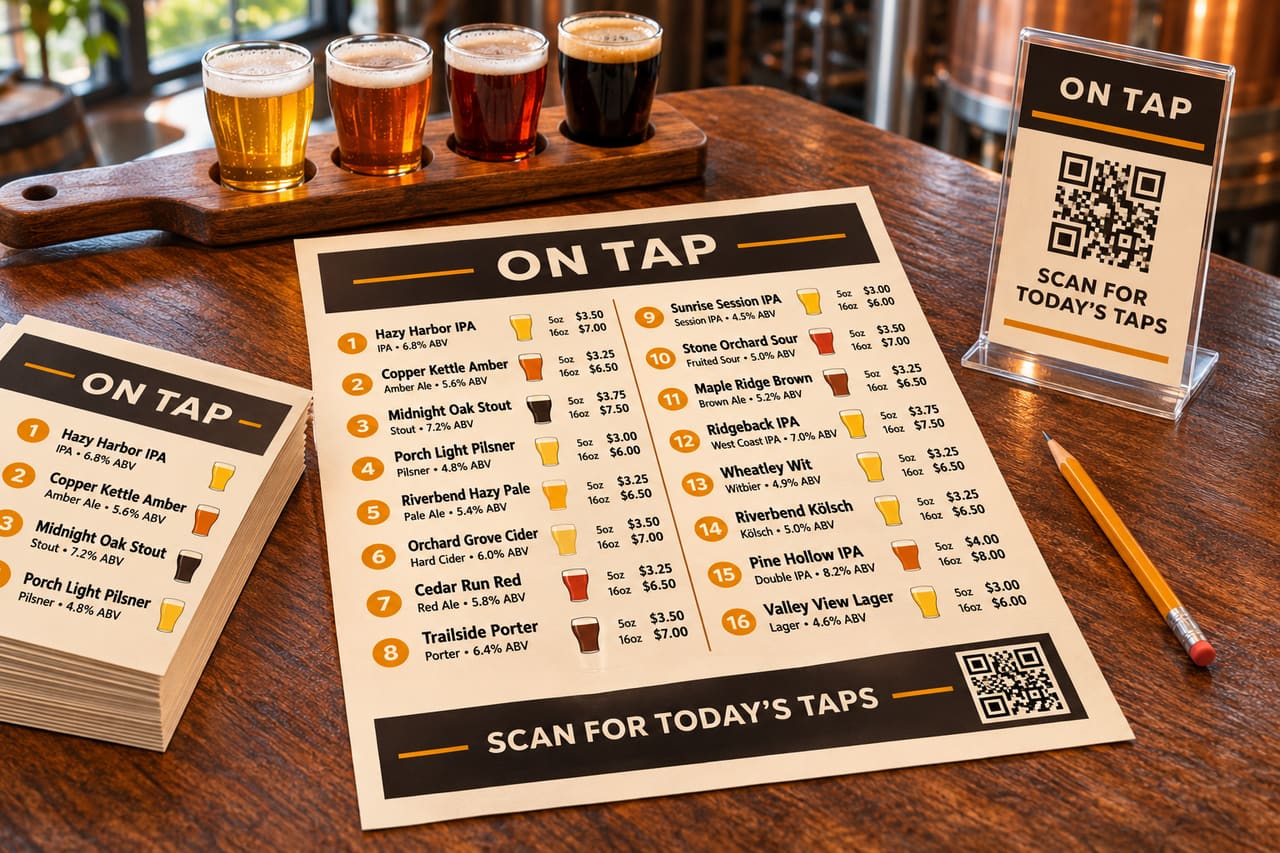
Pick the right size for each spot
| Format | Size | Best for |
|---|---|---|
| Letter | 8.5 × 11 in | Table menus, clipboards, to-go bags. Prints anywhere. |
| Legal | 8.5 × 14 in | Long lists (20+ taps) plus cans to go. |
| Tabloid | 11 × 17 in | Posters by the door or the line for the bar. |
| A4 | 210 × 297 mm | Outside the US. |
| Table tent | folded card | Tables: top picks plus a QR code. |
| Bar card | small card | Bar rail, flights, tasting notes. |
Layout tips
- Two columns on letter paper fit 16 to 20 beers without crowding.
- Group by section: On Tap, Cans & Crowlers To Go, Wine & Cider, Non-alcoholic, Food. Guests skim headings first.
- Order by style (light to dark, or by family) or by tap number. Pick one and stick to it.
- Right-align prices so they line up into an easy-to-scan column.
- At least 10 pt type for body text; dim taprooms need more.
- Match your TVs. Same colors, fonts and logo on paper and screen make the brand feel deliberate.
Paper and printing
- A heavier paper (around 32 lb / 120 gsm) feels better in the hand and survives a few spills. Card stock suits table tents.
- A clear sleeve or laminated holder protects menus that get reprinted weekly; avoid laminating the menu itself if taps change often.
- An office laser printer is fine for daily runs. Save the print shop for posters.
A workflow that keeps paper menus current
The menu goes stale because the PDF is a separate document someone has to remember to edit. Fix the workflow, not the template:
- Keep one tap list as the source of truth.
- Generate the PDF from that list, so it changes when a keg is kicked.
- Bookmark a stable "latest PDF" link on the bar computer or tablet.
- Print a fresh batch at opening, and again after big changes.
- Recycle old copies at close. The date in the corner makes this easy.
With BreweryTV
Every theme renders print-ready PDFs in letter, legal, tabloid, A4, table tent and bar card sizes, regenerated on every change with a stable link to the latest version. It's included on every plan, including the free one. See print menus.