QR menus got a bad reputation during the years when every restaurant replaced paper with a code that opened a tiny, zoom-and-pinch PDF. The idea is fine. The execution is usually the problem. Here's how to do it so guests don't sigh when they see the code.
Link to a web page, not a PDF
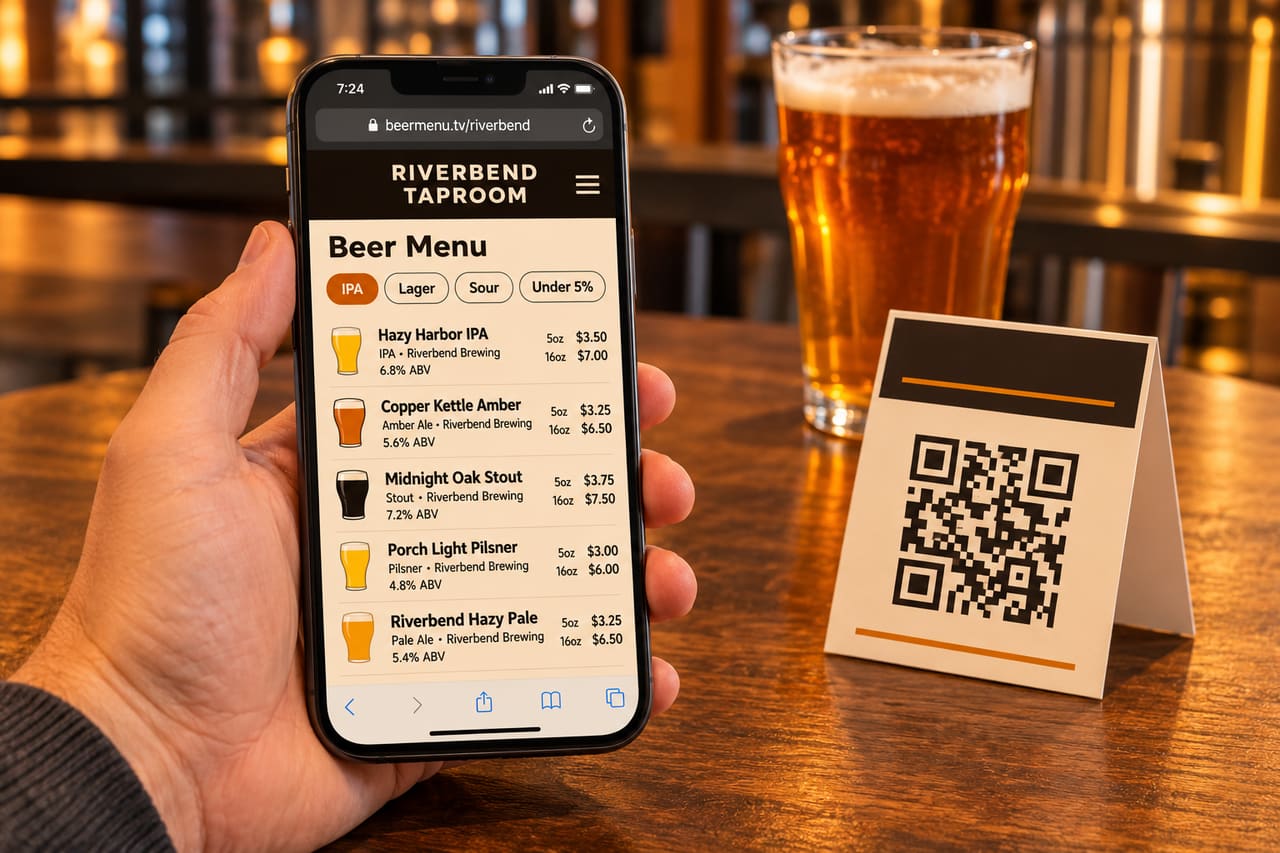
A PDF designed for paper is miserable on a phone: tiny text, sideways scrolling, a download prompt on some phones. Point the QR at a mobile web page instead:
- Text sized for phones, one column.
- Loads in a second or two on a weak bar signal.
- No app download, no login, no cookie wall.
- Filters that help: style, ABV, "new this week".
Use a link you control, forever
Printed codes outlive your menu software. Two common traps:
- "Dynamic QR" generator subscriptions. Some services route your code through their short link and stop redirecting when the subscription lapses. Every table tent you printed breaks at once.
- Links to a specific PDF or menu version. They go stale the moment taps change.
The QR code should point at one stable address for your venue that always shows the current menu.
Size, contrast and placement
- Size: a common rule of thumb is that a code scans reliably from about ten times its width. A 1 inch (2.5 cm) code on a table tent is comfortable; a poster across the room needs a much bigger one.
- Contrast: dark code on a light background. Inverted or low-contrast "brand color" codes fail on some phone cameras.
- Quiet zone: leave clear margin around the code; don't crowd it with borders or text.
- Placement: where people sit and wait: tables, the bar rail, the line for the bar, the patio. Not on a wall behind the people who'd need it.
- Tell people what it does: "Scan for today's taps" beats a bare code.
Don't make it the only option
Some guests don't want to use a phone at the bar, and some phones will be dead. Keep the TV board and a few printed menus around. QR codes work best as the "more detail" layer: descriptions, food, what's coming next.
Respect the guest
- No ads, and no links to other bars on your menu page.
- Don't force an email signup before showing the menu.
- Don't hide prices.
Test it before you print 50
- Scan with an older iPhone and an Android phone, in your actual lighting.
- Scan from the seat farthest from the code's intended spot.
- Turn off Wi-Fi and scan on cellular.
- Change a beer and confirm the page updates.
Measure it
Use separate codes per placement (tables, bar, to-go bags) and track scan counts. You'll learn quickly which spots earn their table tents.
With BreweryTV
Every location gets a fast, no-ads menu at beermenu.tv/your-brewery and stable short QR links with scan counts, included on every plan. The same tap list drives your TVs and printed menus. See web & QR menus.